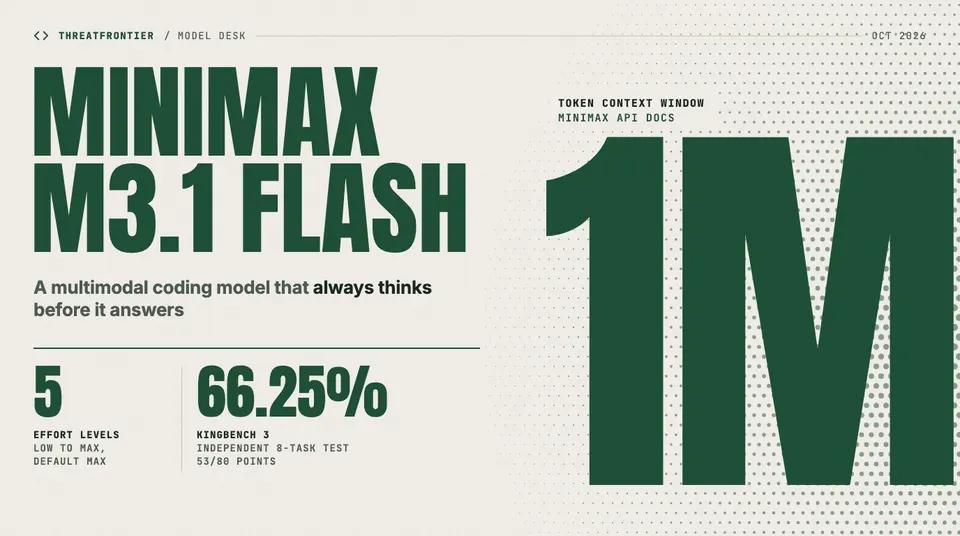
MiniMax's M3.1 Flash preview brings a 1M-token context, image and video input and five effort levels to MiniMax Code. What it does, and how it tests.
MiniMax has launched MiniMax-M3.1-Flash-Preview, a coding model with a 1-million-token context window. It went live on 27 September 2026 inside MiniMax Code, the company's agentic coding tool. MiniMax describes it as a "frontier multimodal coding model" built for agentic reasoning, tool use, coding and long-context work. It is the first M3.1 model to ship.
What M3.1 Flash is
According to MiniMax's API documentation, M3.1 Flash:
- Holds 1,000,000 tokens of context, which MiniMax pitches at long documents, whole codebases and multi-step agent sessions.
- Takes text, image and video input, so screenshots, diagrams and screen recordings can go into the same prompt as the code.
- Always thinks before it answers. Reasoning cannot be switched off: a request that sends
thinking: {"type": "disabled"}oreffort: "none"is rejected with HTTP 400 and the message that the model "requires adaptive thinking". - Has five effort levels:
low,medium,high,xhighandmax. Higher levels think longer, produce more output tokens and take more time. If a request leaveseffortout, the model runs atmax.
That last default matters in practice. A tool that does not set effort gets the slowest, most token-hungry setting on every call. For quick edits and autocomplete-style tasks, set low or medium explicitly.
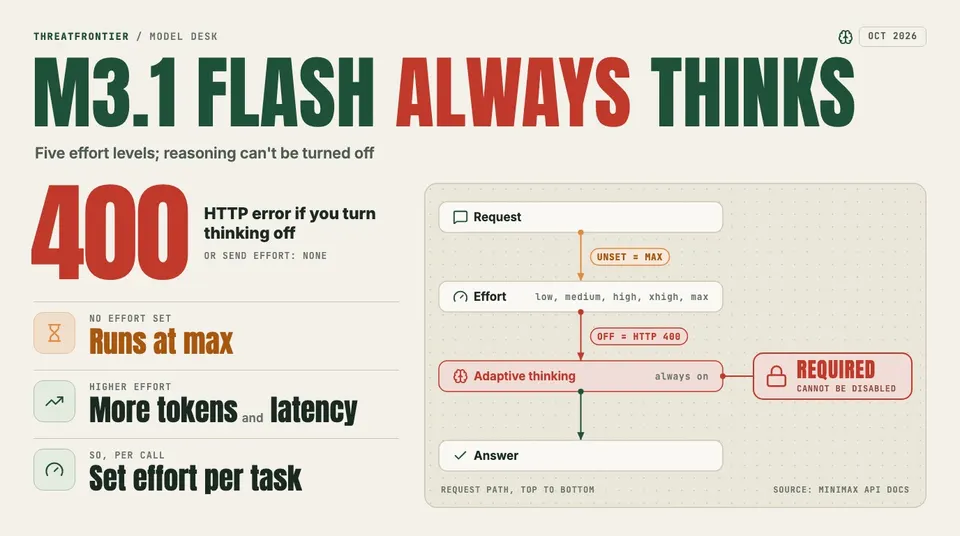
Every M3.1 Flash request runs through always-on adaptive thinking: leaving effort unset means max, and turning thinking off returns HTTP 400.
How it performs
MiniMax has not published a single benchmark score for M3.1 Flash, nor a model card, parameter count, speed figure or open weights.
The clearest independent result so far comes from the AICodeKing channel's KingBench 3, a set of eight build-it-from-scratch coding tasks scored out of 10 each. Tested on 28 September, M3.1 Flash scored 53 of 80 (66.25%). The best result in the same run was Claude Opus 5.5 at 93.75%.
The scores were uneven:
- Strong on 3D geometry. It scored 9/10 on a folding-table task, with smooth animated 3D geometry.
- Weak on interactive simulations. An elevator simulation crashed on load because the code called a position value as a function (3/10). An archery game drew its targets in the wrong place and paused its timer between shots (4/10).
Some sites are also circulating figures such as a 73.8% SWE-bench Verified score, 165 tokens per second and a $0.10 per million input-token price. MiniMax has not published any of these, and we could not trace them to a primary source. Treat them as unverified until MiniMax releases its own numbers.
How to get it
M3.1 Flash is "available only through M Plan and MiniMax Code for now". That means two things:
- No standalone pay-as-you-go API. You can't call it by the token from your own stack yet.
- No third-party routers. You can't put it behind a gateway alongside the models you already use.
To try it:
- Open MiniMax Code, on the desktop app (macOS or Windows) or the web.
- Pick MiniMax-M3.1-Flash-Preview as the model.
- Set the effort level per task, rather than leaving it on the default
max.
From 1 to 7 October 2026, MiniMax is giving subscribers unlimited use of M3.1 Flash in MiniMax Code. That makes this week a good time to test it on your own repositories.
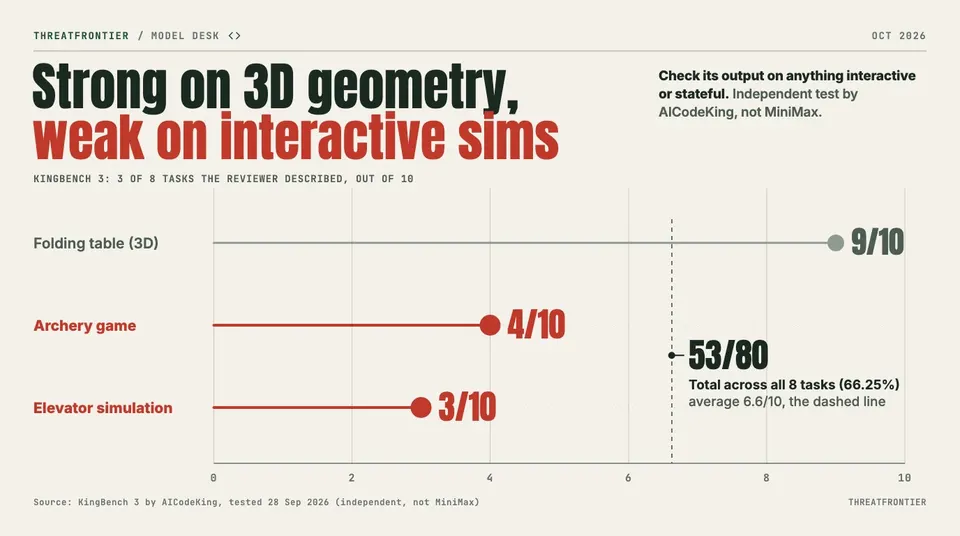
M3.1 Flash scored 9/10 on a 3D geometry task but 4/10 and 3/10 on two interactive builds, for 53/80 (66.25%) overall on AICodeKing's independent KingBench 3.
Should you use it?
M3.1 Flash is worth testing now on big-context work, such as reading a large repository or reviewing long agent sessions, and on visual tasks that need image or video input. Two limits apply until MiniMax publishes benchmarks and a per-token price:
- Keep it in a side-by-side trial, not as the default model in a production pipeline.
- Check its output on anything interactive or stateful, where the independent tests show it is weakest.