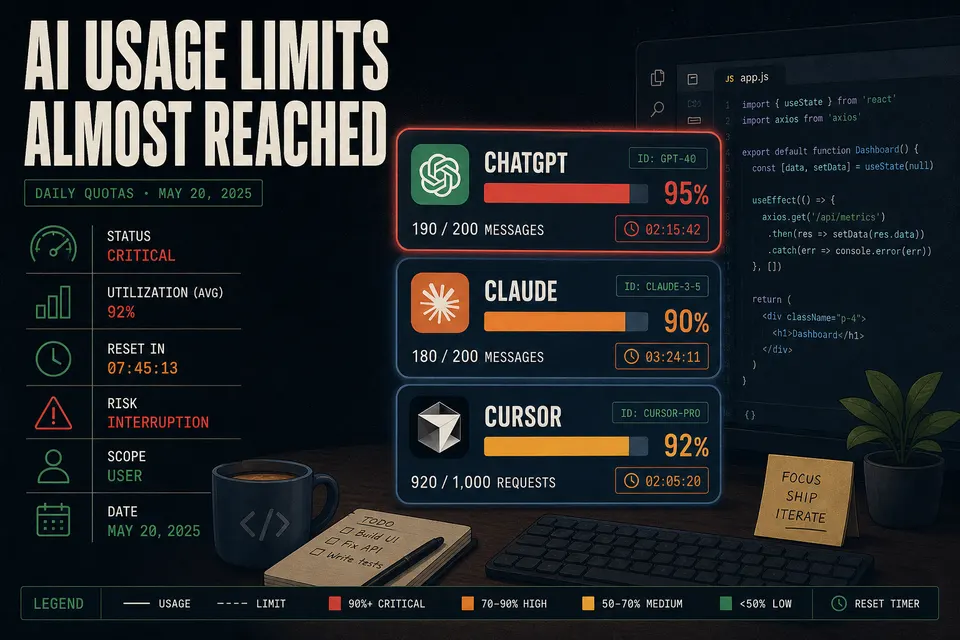
Hard stops have gone from occasional annoyance to recurring productivity killer as limits tightened. Monitoring beats discovering the wall mid-refactor.
For the developers, researchers, and technical writers who now treat AI assistants as core daily infrastructure, few interruptions sting like a rate-limit wall that appears mid-task. A refactor stalls. A research thread freezes. A countdown timer replaces the cursor. As dependence on ChatGPT, Claude, Cursor, and multi-agent systems has deepened, these hard stops have shifted from occasional annoyance to recurring productivity killer — and the underlying limits have grown tighter and more confusing at the same time.
Anthropic layered a **weekly cap on top of** its existing five-hour rolling window — the weekly limit arrived in late August 2025 — and reduced peak-hour limits, publicly acknowledging that users were hitting caps faster than expected. OpenAI explicitly labels its ChatGPT Plus message caps "temporary." Cursor overhauled its pricing in mid-2025, apologized, and issued refunds after a backlash over unclear quotas. The result is a moving target that existing coverage, mostly vendor-specific and pricing-focused, fails to map. What follows is a cross-platform operational playbook — one that leans on the stable mechanics rather than the volatile numbers, all of which you should verify on each vendor's page before relying on them.
Decoding the Limit Types
The single most useful thing you can do is understand what kind of limit you're actually hitting, because each resets differently.
| Limit type | What it means | Reset behavior |
|---|---|---|
| 5-hour rolling window (Claude) | Caps tokens in a short burst; the counter starts on your first prompt, not a fixed clock | Rolling — capacity frees up gradually, not all at once |
| 3-hour rolling window (ChatGPT Plus) | Same concept, ~3-hour span for GPT-5-class models | Rolling window, not a daily reset |
| Weekly cap (Claude) | Ceiling on total active compute time per week; idle browsing doesn't count | Weekly; reset date shown on the Usage page |
| Credit / usage pool (Cursor) | A dollar budget (~$20/mo on Pro) spent at API cost — not "requests" | Monthly, with a short grace period |
| Message caps (ChatGPT) | Fixed message counts per window, with a silent downgrade to a mini model when exhausted | Rolling window; countdown in the model picker |
The most misunderstood mechanic sits inside Claude's "messages per five hours." That phrasing is a user-interface simplification. The real meter is tokens. Every prompt, attached file, tool definition, and line of conversation history draws from the same quota on each turn — referencing a handful of medium files can burn tens of thousands of tokens in a single exchange. A related quirk trips up heavy users: Claude's quota is one shared bucket across Claude Code, Claude.ai, and Cowork, so a heavy session in one drains the others.
Where to Check Usage, Platform by Platform
Claude (Pro, Max, Team, Enterprise). Go to Settings → Usage. It shows progress bars for both the five-hour session and the weekly limit, the time remaining in the current session, and the weekly reset date — listed separately for Opus versus other models. The Claude Code CLI, by contrast, offers only built-in countdown timers with limited granular token visibility, which is precisely why third-party trackers exist.
ChatGPT (Plus). There is no dedicated individual dashboard. The signals are indirect: usage hints in the model-picker dropdown, in-chat notifications about remaining messages and reset countdowns, and the silent switch to a mini model — the switch itself is your warning that a cap has been reached. Business and Enterprise workspaces get a User Analytics dashboard with exportable usage reports.
Cursor. The web Dashboard shows usage against your monthly subscription; Cursor added approaching-limit visibility after its 2025 pricing controversy. Inside the editor, Settings → Agents → Usage Summary displays remaining credit percentages. In billing settings, you can set a spend limit to cap on-demand overage.
Agents and CLIs (Claude Code, Codex, Gemini CLI, Copilot CLI). The standout is ccusage — around 17,000 GitHub stars — a local command-line tool that reads your usage logs without uploading data.
npx ccusage
It supports Claude Code, Codex, Gemini CLI, Copilot CLI and more, offering cost estimation, five-hour "blocks" reports, a statusline, cache-token accounting, and JSON export. Claude-Code-Usage-Monitor provides a real-time terminal dashboard with custom limits and cost predictions. Codex users track a comparable usage ladder on ChatGPT's Go, Plus, Business and Pro plans.
Habits That Burn Through Quota Fastest
Ranked by impact:
- Oversized context windows — the number-one silent drain. Every file, tool definition, and full history re-counts as tokens on each turn.
- Long-running, never-cleared chats — history compounds token cost the longer a thread runs.
- Parallel or concurrent agent runs — these multiply burn, and heavy plans throttle after intensive session counts.
- Recursive tool calls and retries — each retry re-sends the full context, and failed runs still cost tokens.
- Image and video generation — governed by separate, tighter caps.
- Model choice — Opus burns far faster than Sonnet, and newer models can emit more tokens per task.
- Peak-hour usage on Claude — five-hour limits are reduced on weekday mornings, Pacific time.
- Named frontier models in Cursor — these draw down the dollar pool, whereas Auto mode is unlimited on Pro.
Proactive Monitoring and Conservation
Beyond native tools, a small ecosystem of lightweight monitors surfaces warnings before a hard stop. For developers, ccusage remains the best local option. Browser extensions fill the gap for chat interfaces — Chatterclock tracks ChatGPT messages by model, while tools such as Claude Limit Monitor, Claude Usage Tracker, and Claude Usage Meter add a live status bar to Claude.ai showing session and weekly usage with a reset countdown. A newer class of unified apps combines Codex, Claude Code, and Cursor usage in one view; treat these community-built trackers as emerging, and verify availability before depending on them. Some power users solve the same squeeze by splitting a $200 budget across ChatGPT Pro and Claude Max instead of picking one.
Conservation is where most users reclaim the biggest gains. The single most effective move is disciplined context management — reference only the files you need, clear chats rather than extending them indefinitely, and lean on the lighter model when the task allows. From Anthropic's own best-practices guidance and hard-won community habits, a few more tactics compound the savings:
- Batch related questions into one message instead of many round-trips.
- Use Projects or knowledge bases — cached uploaded documents don't re-count when reused.
- Be specific upfront to avoid clarification loops that waste turns.
- Avoid Claude's peak hours on weekday mornings, Pacific time. Choosing between Claude Max's $100 and $200 tiers changes how much of that ceiling you actually get.
- Set a Cursor spend limit to convert hard stops into controlled pay-as-you-go.
Quick-Reference Recovery Checklist
Once a cap lands mid-task, the goal is to preserve progress rather than lose the thread.
- Hand off context to another model. A user-crafted prompt many rely on: "Based on our conversation so far, create a summary so that another model can understand it clearly." Some teams automate this with community
/handoffplugins for Claude Code that generate a structured session-summary file — verify and install one before relying on it. - Switch platforms carrying that summary — Claude to Codex or Cursor, or ChatGPT to Claude. This is what many power users report doing in practice.
- In Cursor, switch to Auto mode (unlimited on Pro) or enable pay-as-you-go; a short grace period applies past the credit pool.
- In ChatGPT, accept the mini-model downgrade for low-stakes turns and watch the reset countdown.
- In Claude, check Settings → Usage for the exact reset time. The five-hour rolling window may free up sooner than the weekly cap. There are no manual resets or support overrides — waiting is the only native fix.
One caveat frames all of the above: these limits mostly bite agentic and power workflows, not casual use. Vendors note that the majority of subscribers never run out, even as heavy users burn a week's quota in a day. The numbers will keep shifting — Claude's prompt counts come from independent testing, and OpenAI's Plus figures are officially temporary. The methods, however, are durable. Build continuous visibility into your consumption, adopt a few disciplined habits, and the wall stops arriving unannounced.