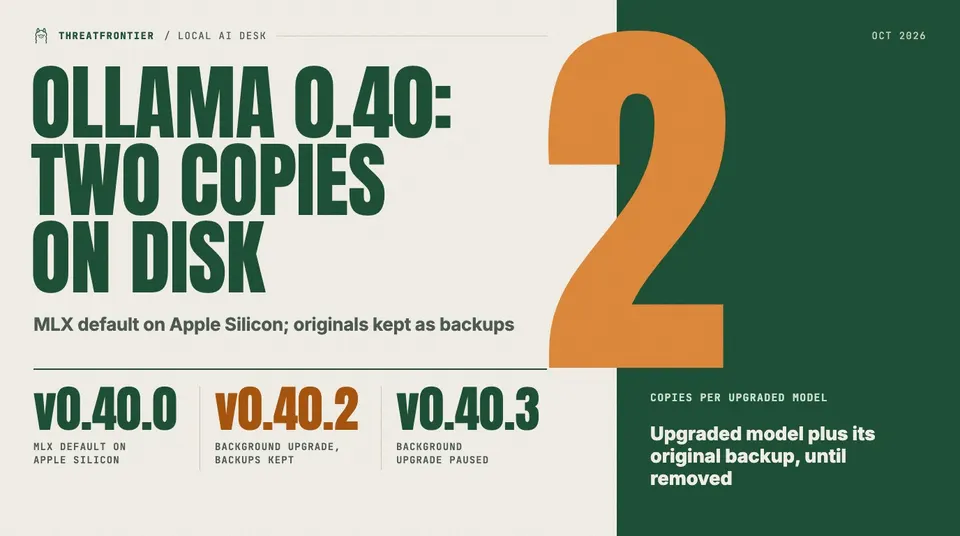
Ollama 0.40 runs supported models on MLX by default on Apple Silicon, and 0.40.2 keeps a backup of every upgraded model on disk. How to clean up.
Ollama 0.40 changes how models run on Macs, and 0.40.2 changes what sits on their disks. Anyone running Ollama on Apple Silicon, especially with a large local model library, should check storage before and after updating.
What changed
Ollama v0.40.0, published on 25 September 2026, made MLX the default runtime on Apple Silicon. In the release notes' words, "model architectures supported by the MLX runtime will automatically run on MLX." Named models include gemma4, qwen3.6 and qwen3.5, the decision models Nimble, tev1, clef and clef-flash, and the embedding model embeddinggemma-2. Ollama says it will keep testing and enabling more.
Ollama v0.40.2, published on 8 October, added a background upgrade. Models downloaded with earlier versions are upgraded the first time you run them, for better performance and compatibility on llama.cpp. To make downgrading safe, Ollama keeps the original copy as a backup, so upgraded models are temporarily kept on disk. A future release is meant to remove those backups automatically.
The two changes are separate. The MLX switch decides which runtime serves a supported model; the 0.40.2 upgrade rewrites older downloads for the llama.cpp runner, and it is the one that costs disk.
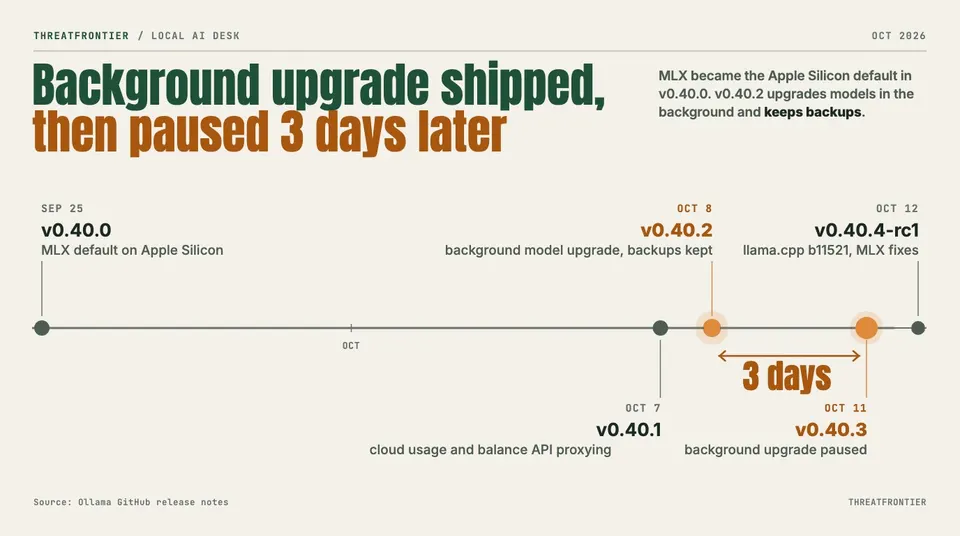
Ollama 0.40.x releases, 25 September to 12 October 2026. Source: Ollama release notes.
The disk cost
The release notes give no size figure. The mechanism is plain, though: each upgraded model leaves two copies, the upgraded one and the original backup. The extra space grows with the number and size of the models you have run since updating. Check free space before you launch large models on a nearly full volume. Version 0.40.2 also fixed ollama list so it no longer shows duplicate entries for upgraded models, so the listing will not show you the backups either.
Cleanup
Ollama publishes a cleanup script that needs jq. It lists models through the local API, finds those that have a llamacpp manifest, and removes the older ggml manifest digests with ollama rm:
curl -s localhost:11434/api/tags | jq -r '.models[].name' | while read -r m; do
  curl -s localhost:11434/api/show -d "{\"model\":\"$m\"}" | jq -r \
    'select(any(.manifests[]?; .runner == "llamacpp")) | .manifests[] | select(.runner == "ggml") | .digest'
done | sort -u | xargs -n1 ollama rm
Ollama says this deletes only the backups. Read it before running it, since it removes data.
The downgrade caveat
The backups exist so you can roll back. Once you delete them, rolling back to a version older than 0.40 means pulling those models again. Keep them if you may need to downgrade, and clear them once you are sure you will stay on 0.40 or later.
Later releases
v0.40.1 (7 October) contained no upgrade or backup changes. It added proxying for cloud usage and balance APIs, fixed a Windows read of the CLEF header past 2 GiB, stopped using symlinks in Windows manifests, and removed an MLX Metal residency patch now upstream.
v0.40.3 (11 October) lists "Paused background model upgrade for embedding and other request performance." The note does not say whether the pause covers every path, and it does not say that existing backups are removed. Treat any backups already created as still on disk.
The pre-release v0.40.4-rc1 (12 October) updates llama.cpp to build b11521, lets inference routes reuse verified manifests and already-loaded models, compacts MLX recurrent state after a speculative rollback, and bumps MLX. It lists no change to backups.
What to do
- Check free disk space and the size of your model store before and after updating.
- Decide whether you need to downgrade; if so, keep the backups.
- Otherwise run the cleanup script after upgrades finish.
- Watch for the release that removes backups automatically.
For what fits on a Mac in the first place, see the best open-weight models for a 24 GB Apple Silicon Mac. If you also pay for Ollama's hosted tier, Ollama Pro vs Max covers what the cloud plans buy.