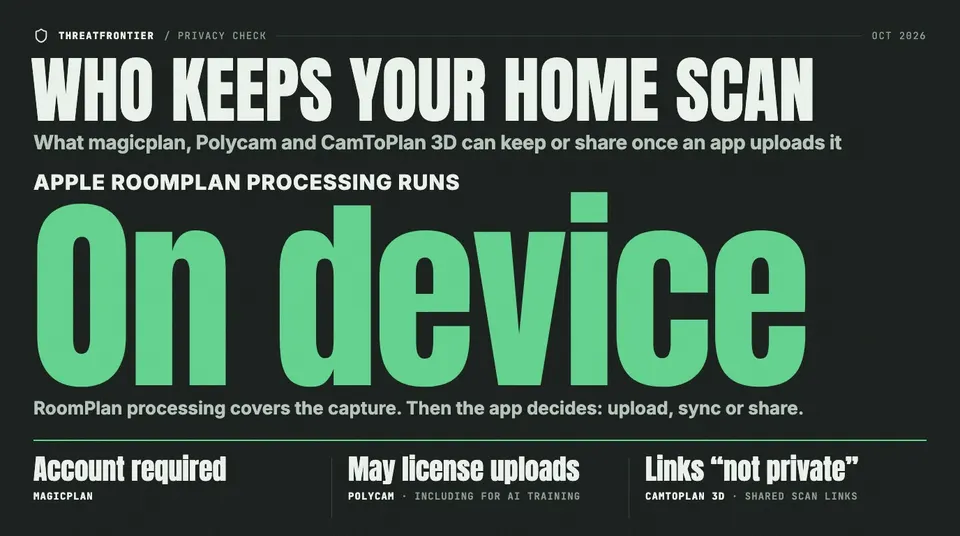
Apple's RoomPlan scans on the phone. What magicplan, Polycam and CamToPlan 3D then upload, keep and share is set by their policies, not the store labels.
Mostly, the scan itself stays on your phone. Apple's RoomPlan framework, which magicplan and Polycam both build on, does its processing on the device, and Polycam's floor plans usually stay on the phone, as do CamToPlan 3D's scans, unless you upload them. What reaches the cloud depends on the app: magicplan requires an account and its policy says floor plans can be stored in it, Polycam's privacy notice says it may license uploaded content to third parties, including for AI training, and CamToPlan 3D puts a shared scan at a link its own policy calls "not private."
That matters because a room scan is more than a sketch. Apple says RoomPlan identifies walls, windows, openings and doors, and recognizes "furniture, and appliances, such as a fireplace, bed, or refrigerator." Tie that to an account and a location and you have a measured inventory of a specific home. We read the privacy policies, help centers and store privacy labels of three popular scanners, as of October 2026, and compared them with what Apple's framework does on its own.
What RoomPlan keeps on the phone
RoomPlan is the Swift API Apple released in 2022 for iPhones and iPads with a LiDAR Scanner. Its documentation says it "uses a device's sensors, trained ML models, and RealityKit's rendering capabilities" to capture a room. It outputs USD or USDZ files that include the dimensions of each component it recognizes, such as walls or cabinets, and the type of furniture detected.
Apple's machine-learning team is explicit about where that happens: "The end-to-end RoomPlan processing runs entirely on the user's device, not on Apple servers." All three of its neural networks run on the Apple Neural Engine.
That promise covers the capture. Once RoomPlan hands the model to an app, the app decides whether to upload it, sync it or share it. magicplan's help center says its Auto-Scan feature needs devices "that can utilize Apple's RoomPlanner technology," and Polycam's engineering blog says its floor-plan pipeline starts with RoomPlan. From there, the policies diverge.
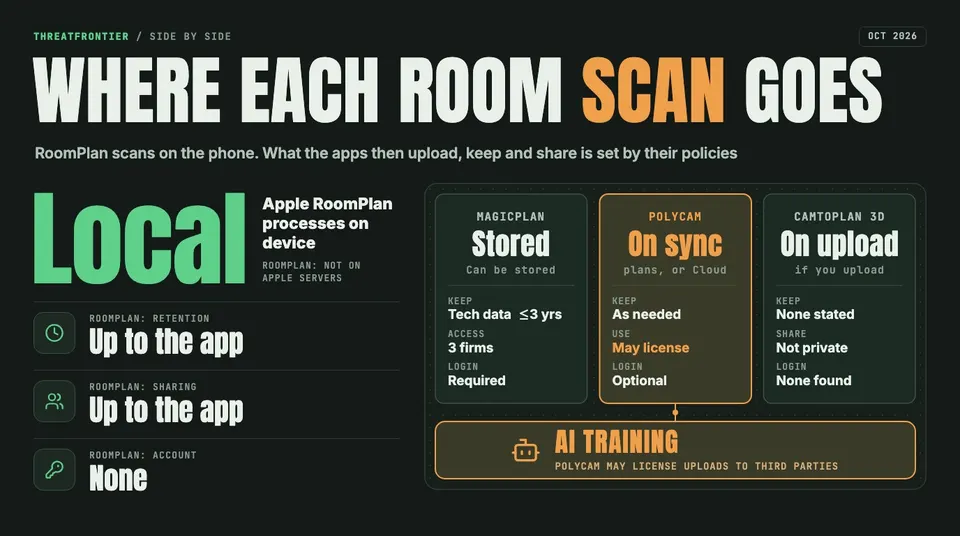
Where each scanner's data goes, from Apple's RoomPlan documentation and the apps' policies, help centers and store listings as of October 2026.
magicplan: an account and a cloud by design
magicplan pitches itself to remodelers, restoration and claims professionals, and its policy assumes you sign up: "To be able to use the functions of this app, you must set up a personal user account." Its help center adds that you can open one sample project without an account, but must log in for the two free projects. Its policy says you can store floor plans in that account, which also opens in the browser-based magicplan Cloud.
Its sub-processor list names Amazon Web Services in the US for "cloud hosting and data infrastructure," with access to project data. Two German firms also have that access: the affiliate enapt GmbH, and IT Reimers GmbH, which handles server administration and backups. Google (including Firebase), HubSpot and Typeform are listed without access to project data.
On retention, magicplan keeps personal data "only as long as it is necessary," and says technical communication data and tracking information "will be deleted or anonymized after a period of 3 years at the latest." One detail stands out: "Deleting is only available to subscribed users. Free users are not permitted to delete projects in magicplan." A free user's way out is to delete the whole account, which the help center says "will permanently remove all of your data from magicplan, including your projects," or to ask support for a full GDPR deletion.
The App Store label lists purchases, location, contact info (physical address, email, name and phone number), photos or videos and a user ID as data linked to you. On Google Play, magicplan lists photos, files and docs, and other user-generated content among the data it may share with other companies.
Polycam: local by default, broad rights after upload
Polycam keeps more on the phone than you might expect. Its help center says LiDAR, Space and Floorplan scans "are processed locally on your device," while Object Mode, 360 captures and splats "require cloud-based processing." A July 2026 engineering post says the floor-plan processing happens "on the device in your hand." Floor plans are "usually stored locally on your device unless you processed the capture using the 'Cloud' option," or until you sync them. The login screen has a "Skip" button, and Google Play marks the email address as optional.
What changes is the policy once something is uploaded. Polycam's privacy notice, revised August 30, 2026, says: "We may also license UGC to third parties to use for their own purposes, including training artificial intelligence models." UGC is user-generated content, "such as images you upload to the Services." Information is kept "for as long as is reasonably necessary." Choosing "Delete permanently" removes a capture "from both your device and the cloud," and its shared links stop working.
The store labels say less. On the App Store, Polycam declares only usage data and diagnostics, not linked to you. On Google Play it says it shares no data with third parties. Neither label mentions scans, and Apple notes on each listing that the information "has not been verified by Apple."
CamToPlan 3D: on device, until you share a link
Tasmanic Editions' CamToPlan 3D Scanner, an iOS app, is the most local of the three. Its App Store description says "all calculations are done securely on your device, no internet connection is required." Its privacy policy, dated January 20, 2022, says: "Unless you explicitly decide to upload one of your scan to our servers, we won't collect any of the scans, measures, documents titles and folders that you create within the app." We found no user account described in its listing or policy.
Sharing is where it gets loose. An uploaded scan gets a random URL, and the policy is blunt: "they are not private. Anyone with this link can open the scan." The policy states no retention period for uploaded scans; you delete one yourself on the viewer website.
Analytics are separate from scans. The App Store label lists purchases, coarse location, a device ID, usage data and diagnostics as linked to you, with the developer's advertising or marketing among the purposes. The policy says that collection depends on a consent pop-up, which you can switch off later in the app's privacy settings. CamToPlan 3D is also the only one of the three whose label declares "Surroundings," Apple's category for environment scanning such as mesh and planes, as collected but not linked to you.
Why the labels don't settle it
Store labels measure something narrower than "where do my scans go." Apple counts data as collected when it leaves the device and is kept longer than it takes to serve the request. Google Play doesn't count transfers to a "service provider" that processes data on the developer's behalf as sharing. So a cloud host with access to every floor plan can sit behind a label that declares no sharing. The privacy policy and the sub-processor list are where the answers are.
How to scan without oversharing
- Check the processing mode before you scan. In Polycam, LiDAR, Space and Floorplan scans can stay on the phone; Object, 360 and splat captures go to its servers.
- Don't sync what you don't need elsewhere. Exporting what you need and deleting the scan, where the app allows it, leaves less on someone else's server.
- Treat share links as public. CamToPlan says so outright. In Polycam, check whether a capture is set to private or public before you send it.
- Deny location access if the app doesn't need it. Both magicplan and Polycam mark location as optional on Google Play.
- Know how to delete. In magicplan, a free user deletes the account, not a project. In Polycam, "Delete permanently" is the option that clears the cloud copy.
- Use your rights. All three policies describe access and deletion rights for people in Europe, and Polycam and CamToPlan also describe rights for some US residents, such as CamToPlan's CCPA section for California.
The no-scan option, and its gap
FloorGen, the free browser floor plan editor made by our publisher, sits at the other end: it can't scan at all. There's no LiDAR or camera capture. You measure with a tape or laser and type the lengths, or trace an existing plan. For someone looking at a magicplan alternative mainly to avoid uploading a 3D model of their house, that's the trade: no scan to leak, and more work to get the numbers.
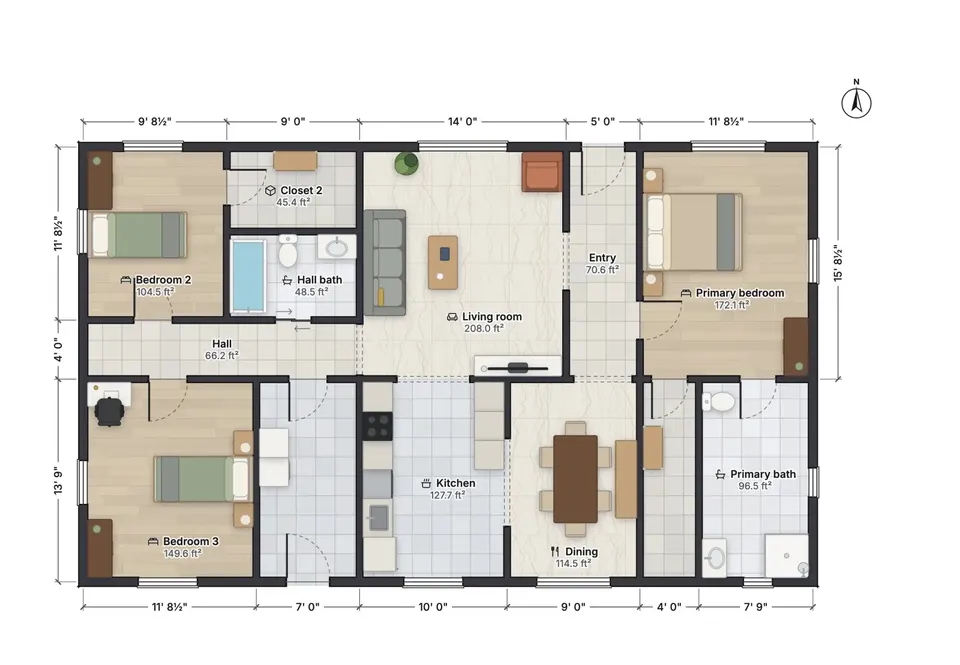
A FloorGen template plan in its 2D view. There is no scan behind it: FloorGen has no LiDAR or camera capture.
Without an account, projects stay in the browser's storage, but the server still hears from you. The app makes a random guest ID and checks in when it opens and when you return after 15 minutes. It sends each project's name, dates, floor area and counts of floors, rooms, walls and items, plus your device type and browser language, but not the plan. Two cookie-free analytics tools also count page views: a self-hosted copy of Rybbit, which doesn't store IP addresses, and Cloudflare Web Analytics. A project named after your street address would reach FloorGen's server, so name it something else. Signing in, with Google only, syncs plans to FloorGen's cloud.
The limits matter here. Measuring by hand is slower than a LiDAR pass, and the plan is only as accurate as your measurements. FloorGen can't open a scan file from these apps; it reads its own project files and traces images or PDFs, so the closest route is tracing a scanner's exported plan. It is hosted only, not open source. For agents drawing floor plans for listings, it means measuring on site rather than walking the rooms with a phone.
Disclosure: FloorGen is built by ThreatFrontier's publisher. FloorGen details were checked against its code and live site in October 2026.
Sources
- Apple Developer, RoomPlan documentation: https://developer.apple.com/documentation/roomplan
- Apple Developer, RoomPlan overview: https://developer.apple.com/augmented-reality/roomplan/
- Apple Machine Learning Research, "3D Parametric Room Representation with RoomPlan": https://machinelearning.apple.com/research/roomplan
- Apple Developer, App privacy details on the App Store: https://developer.apple.com/app-store/app-privacy-details/
- Google Play Console Help, data safety section: https://support.google.com/googleplay/android-developer/answer/10787469
- magicplan privacy policy for the app: https://www.magicplan.app/privacy-app
- magicplan list of sub-processors: https://help.magicplan.app/subprocessors
- magicplan help, download magicplan: https://help.magicplan.app/download-magicplan
- magicplan help, LiDAR and Auto-Scan FAQ: https://help.magicplan.app/autoscan-faq
- magicplan help, archive and delete a project: https://help.magicplan.app/archive-delete-a-project
- magicplan help, delete your account: https://help.magicplan.app/how-do-i-delete-my-account
- magicplan on the App Store: https://apps.apple.com/us/app/id427424432
- magicplan on Google Play, data safety: https://play.google.com/store/apps/datasafety?id=com.sensopia.magicplan
- Polycam privacy notice: https://poly.cam/legal/privacy-policy
- Polycam help, Do I need Wi-Fi/LTE to process my captures?: https://learn.poly.cam/hc/en-us/articles/30549172696084
- Polycam help, How to sync your captures: https://learn.poly.cam/hc/en-us/articles/29708940234132
- Polycam help, How to delete your Polycam captures: https://learn.poly.cam/hc/en-us/articles/29709304414100
- Polycam help, Why have my captures disappeared?: https://learn.poly.cam/hc/en-us/articles/27563475462804
- Polycam blog, inside Polycam's floor plan pipeline: https://poly.cam/blog/how-we-turn-raw-spatial-data-into-a-floor-plan-you-can-build-from-inside-polycams-floor-plan-pipeline
- Polycam on the App Store: https://apps.apple.com/us/app/id1532482376
- Polycam on Google Play, data safety: https://play.google.com/store/apps/datasafety?id=ai.polycam
- CamToPlan 3D Scanner privacy policy: http://misc.tasmanic.com/ioscaptureprivacy.html
- CamToPlan 3D Scanner on the App Store: https://apps.apple.com/us/app/id1547594886
- FloorGen vs magicplan: https://floorgen.app/compare/magicplan
- FloorGen privacy policy: https://floorgen.app/privacy